
We're changing the way kids learn Spanish online
Three age-based programs, each combining live 1-on-1 classes with native teachers, a companion app, and printable worksheets that go with every lesson.
Bonus: If you purchase within 48 hours of your demo class, you receive an extra free class credit.
- 1-on-1
- Live private classes
- Ages 4-14
- Built for young learners
- Native
- Certified Spanish teachers
- 3-in-1
- Classes + app + worksheets
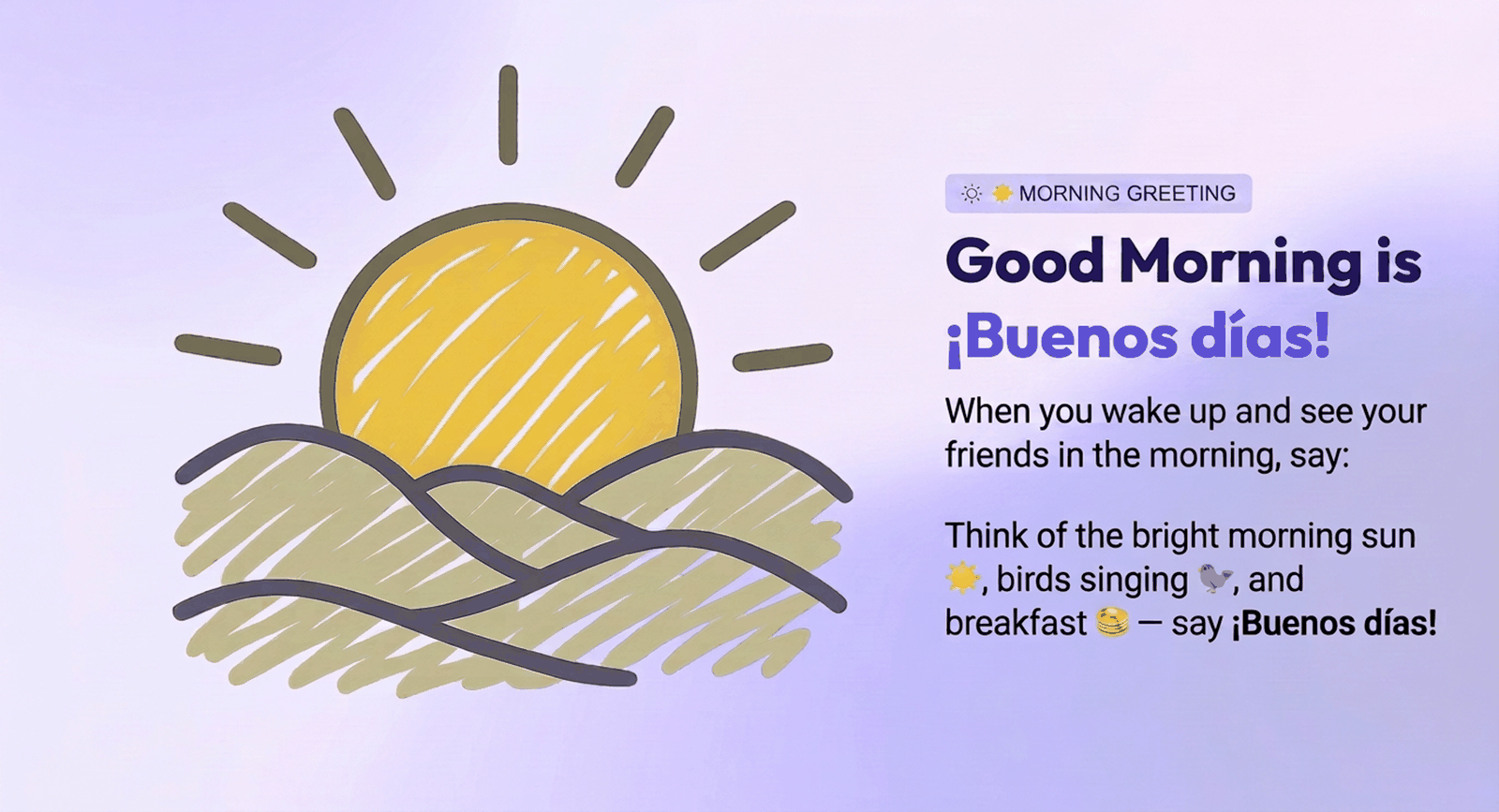
Designed for every level
Class length, vocabulary, visuals, app activities and worksheets all change with your child's age, so every lesson fits how they learn right now.

Ages 4–6 · 20-minute classes
Little Explorers
Short, simple and fun. Little Explorers keeps vocabulary small and classes full of movement, so young children enjoy Spanish from the very first minute.
- Less vocabulary and simpler words, repeated often so they stick.
- Tap-only activities, no reading or typing needed.
- Trace Spanish words from class.

Ages 7–10 · 30-minute classes
Early Learners
Still straightforward and playful, but built for elementary-age kids. Early Learners covers children just starting out as well as those already reading, writing and typing.
- Straightforward lessons suited to their age.
- Word matching and simple translations from each lesson.
- Matching words to pictures.

Ages 11–14 · 40-minute classes
Young Speakers
More in-depth classes for older kids. Young Speakers moves faster, introduces more words and teaches grammar directly, with visuals that feel right for their age.
- More in-depth lessons with more vocabulary, more quickly.
- Grammar exercises, only included in this track.
- Reading comprehension with dialogues and short stories.
The only kids' program with all three
Plenty of services offer online classes. We don't know of another one that pairs live 1-on-1 teaching with its own companion app and level-matched worksheets, all built specifically for ages 4-14.
Live 1-on-1 classes
Every class is a private video lesson with a certified native Spanish teacher who specializes in ages 4-14. Real conversation, real correction, real confidence. Not videos or group calls.
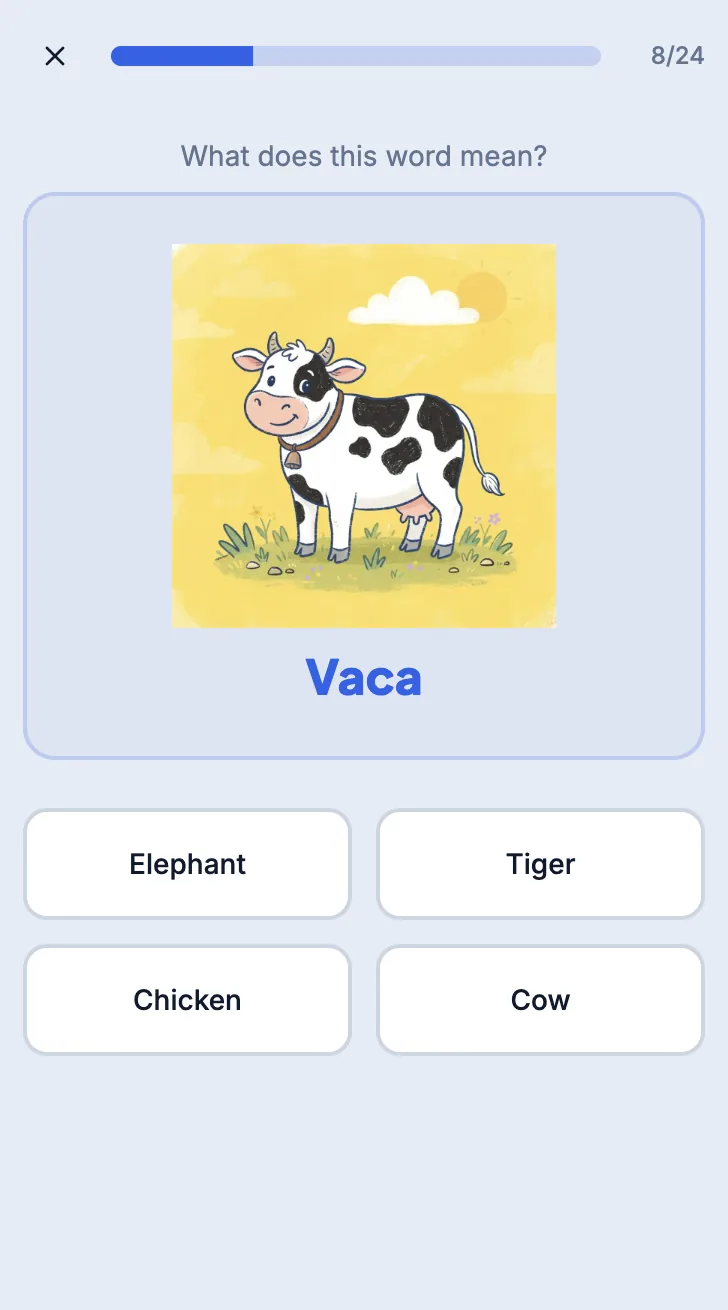
A companion practice app
Between classes, your child practices in our app. Think of it as a personalized Duolingo that reinforces exactly what they covered with their teacher, using picture-based play.
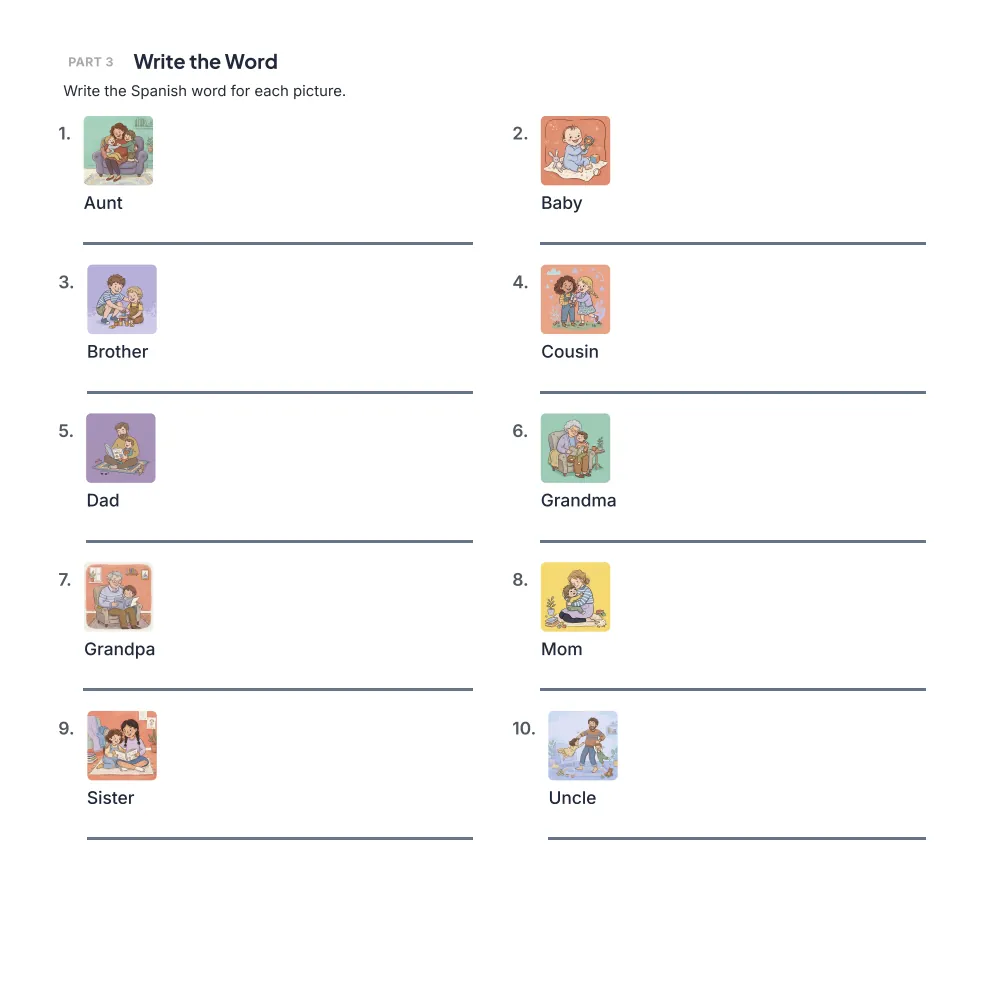
Kid-friendly worksheets
Printable worksheets matched to your child's age and developmental level keep Spanish going off-screen: drawing, tracing, and writing the words from their lessons.
Little Explorers · Ages 4–6
Tap-only activities, no reading or typing needed. Trace Spanish words from class.
Early Learners · Ages 7–10
Word matching and simple translations from each lesson. Matching words to pictures.
Young Speakers · Ages 11–14
Grammar exercises, only included in this track. Reading comprehension with dialogues and short stories.
Extremely high standards for every teacher we hire
Our teachers are certified, native Spanish speakers who have spent years teaching young children online. They know how to hold a four-year-old's attention, how to gently correct a shy seven-year-old, and how to make 20 minutes feel like play.
If you find a teacher your child loves, you can stick with them class after class. Prefer to be flexible? Book with any of our teachers to open up more times - every one of them clears the same high hiring standards, so the class is just as good whoever shows up.
We only choose teachers who check every box
- Extremely experienced teaching Spanish to kids online
- Friendly, engaging personalities kids love
- Genuinely love teaching and learning languages
- From areas with standard, neutral accents so we can teach consistently the most neutral Spanish that applies to most places
It's super easy and seamless to see your credits and book classes.
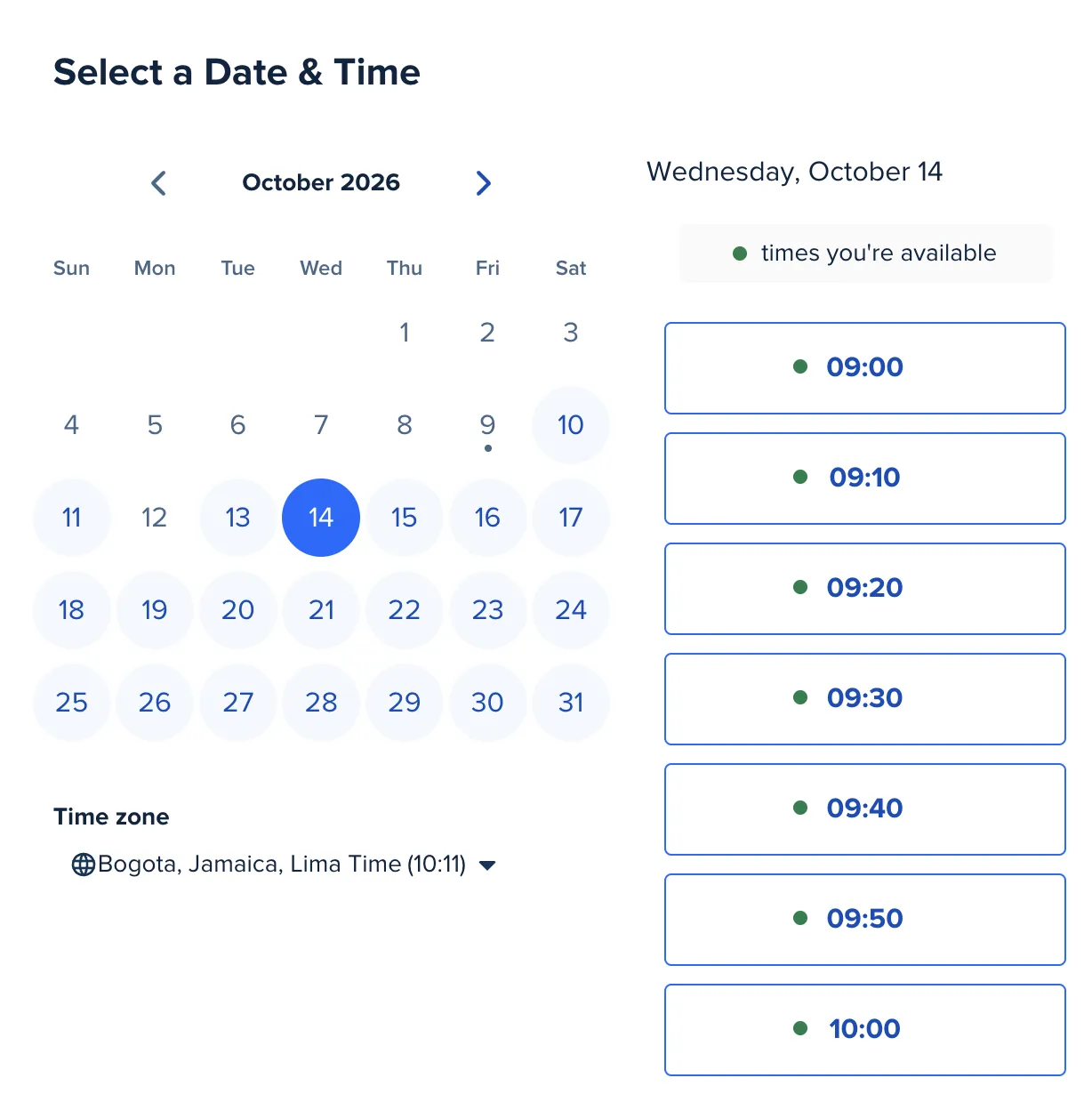
Scheduling app. Pick any open slot Monday to Friday, 9 a.m. to 9 p.m., and reschedule up to 24 hours before class.
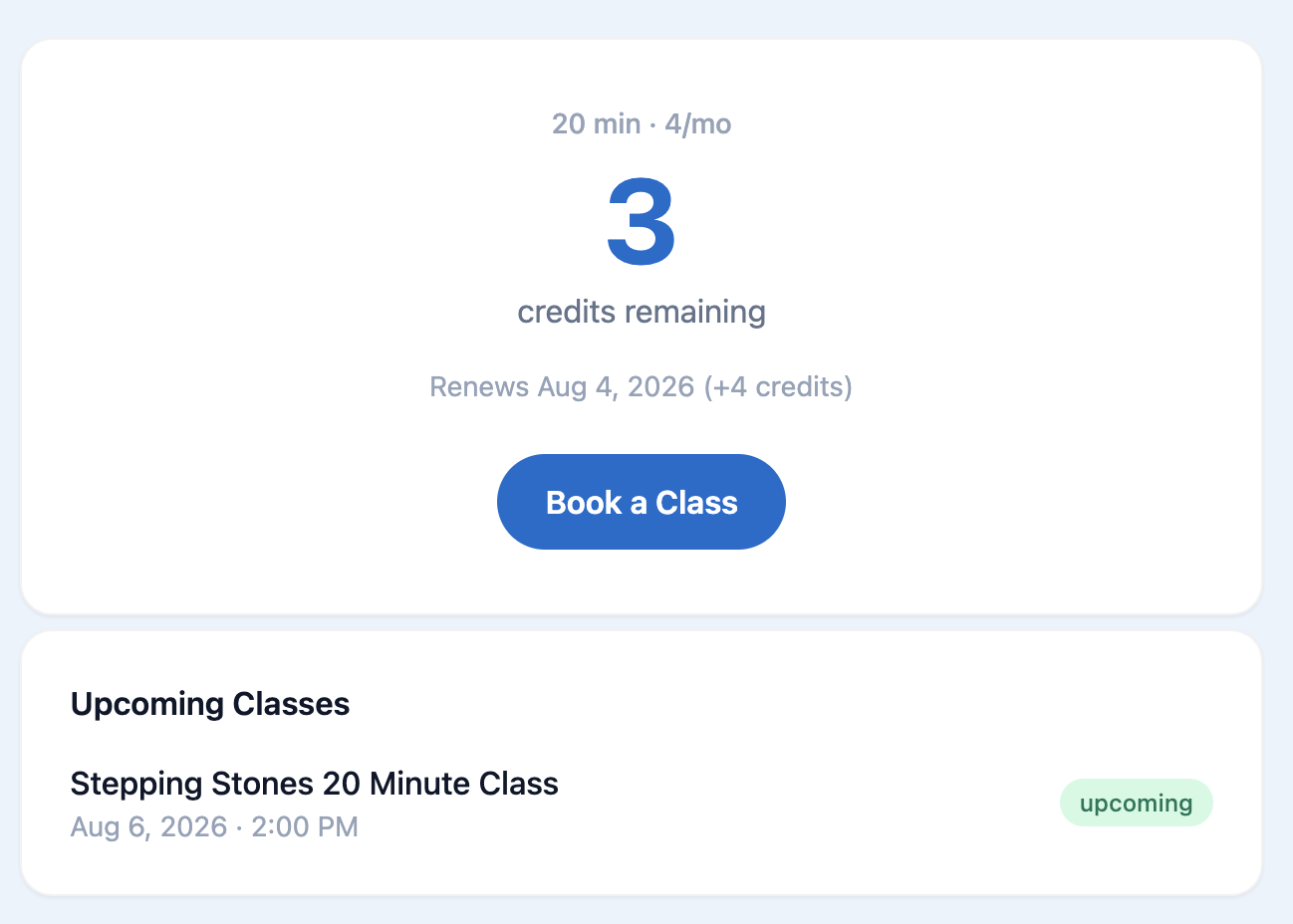
Your credit balance. See exactly how many classes you have left and when they were added.
Monthly class credits
Each month your plan adds class credits to your scheduling app account. Use them to book any open slot that works for your family.
Book 24+ hours ahead
Classes can be booked any time more than 24 hours in advance, Monday through Friday, 9 a.m. to 9 p.m.
Easy rescheduling
Life happens. As long as it's more than 24 hours before the class, you can reschedule right from the scheduling app. No emails, no fees.
Credits valid for 3 months
Credits stay valid for three months, so a busy week never means losing what you paid for.
Cancel anytime
Cancel whenever you'd like, right from the website. There's a Manage subscription link in the footer. Your plan simply stays active through the paid period and doesn't renew.
Class hours
Book classes Monday through Friday, 9 a.m. to 9 p.m. Choose whatever times fit your family's week: mornings, after school, or evenings.
Pick the plan that fits your family
Prices shown are your first month with 20% off using code FIRST20. Every plan includes live 1-on-1 classes, the companion app and printable worksheets.
Little Explorers
Ages 4–6 · 20-minute 1-on-1 classes
Short, playful classes
Recommended for most children ages 4–6.
100% risk-free · 7-day money-back guarantee
Your first payment is refundable within 7 days if you’ve used 2 or fewer class credits.
for 20% off
for 20% off
for 20% off
for 20% off
Cancel anytimeReschedule up to 24h before a classCredits stay valid for 3 months
If you purchase within 48 hours of your demo class, you receive an extra free class credit.
Early Learners
Ages 7–10 · 30-minute 1-on-1 classes
Longer classes with more practice
Recommended for most children ages 7–10.
100% risk-free · 7-day money-back guarantee
Your first payment is refundable within 7 days if you’ve used 2 or fewer class credits.
for 20% off
for 20% off
for 20% off
for 20% off
Cancel anytimeReschedule up to 24h before a classCredits stay valid for 3 months
If you purchase within 48 hours of your demo class, you receive an extra free class credit.
Young Speakers
Ages 11–14 · 40-minute 1-on-1 classes
Time to go further
Recommended for ages 11–14 or potentially advanced 10 year olds.
100% risk-free · 7-day money-back guarantee
Your first payment is refundable within 7 days if you’ve used 2 or fewer class credits.
for 20% off
for 20% off
for 20% off
for 20% off
Cancel anytimeReschedule up to 24h before a classCredits stay valid for 3 months
If you purchase within 48 hours of your demo class, you receive an extra free class credit.
Have more than one child? Get 25% off your second child's first month. Get 30% off your third child's first month.
What happens right after I pay?
- 1
We automatically create your account
As soon as your payment goes through, we create your account using the email you used at checkout.
- 2
Welcome emails arrive
You'll get welcome emails with invites to the scheduling app and the companion app — no passwords to set up.
- 3
Sign in with your email
There are no credentials to remember. Just sign in with the Google login for the email you used at checkout, or use the Login link at the top of our website.
- 4
Schedule classes
Open the scheduling app to book your child's classes, reschedule if needed, and see your remaining credits.
- 5
Kids learn & practice
Your child starts taking live classes, then practices the same words and phrases in the companion app and with printable worksheets.
4.95★ average rating from families like yours

A few months in and my son actually looks forward to his classes. He has friends in the neighborhood who only speak Spanish, and now they just play together and understand each other.
Our daughter is so much more confident now. She even loves going to Mexican restaurants and talking with the waiters. The weekly classes have made it feel natural for her instead of like homework.
Try it risk-free with our 7-day money-back guarantee
If it isn't the right fit, you don't pay for it. Within 7 days of your first payment, as long as your child has used 2 or fewer class credits from it, we refund every cent.
Just email hello@steppingstonesspanish.com and we'll take care of it.
Deciding with your partner?
This page is a great way to share everything about the program - the classes, the app, the worksheets, and the pricing, so you can decide together. You can click the button below to copy the link and send it their way.
We just started our Instagram account.
A follow would mean a lot to a brand-new program.